


Despite the easy-breezy photos you see on Instagram, blogging is a lot of hard work. It takes hours of time (and often lots of frustration) to create a functional website and run it as a successful business.
But there are ways to make it easier!
These blogging tools will help save you time, keep you organized, and make the process just a little bit easier.
Websites & Apps
There are countless websites and apps out there geared towards blogging. But very few will have an impact on your website that these do. These are the must-haves for anyone looking to run their blog as a business:
Trello
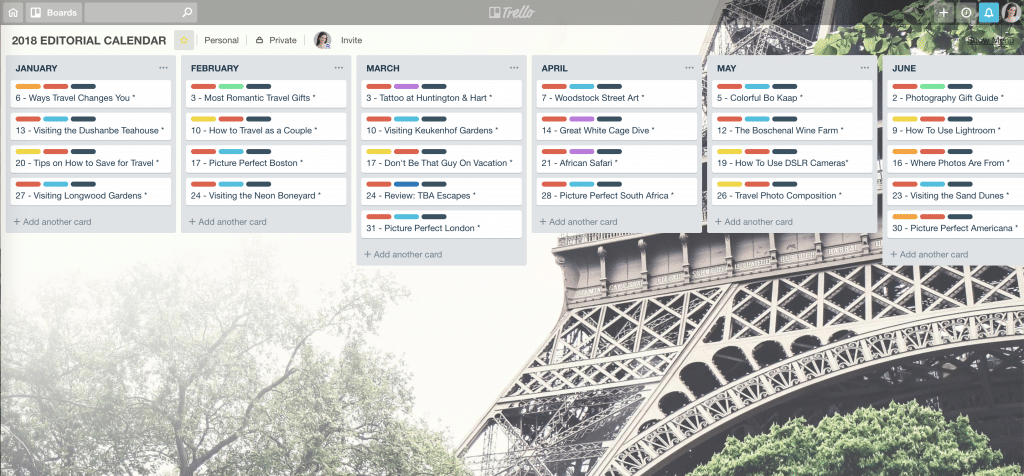
Trello is a free app/website where you can create boards and lists to stay organized. This is extremely helpful for creating an annual editorial calendar. Doing so allows you to plan posts ahead of time and think about timely topics (such as posts related to upcoming holidays, etc.)
To create your editorial calendar, each board should be a separate year. Then within each board, create a list for each month. Within that list, add cards for each individual blog post.
You can even color-code the cards to see details about each post at a glance. You can use this to track post topics, which posts are drafted, which have been published, etc.
Additionally, you can create checklists within each post’s card. This is handy for outlining posts, brainstorming graphics, etc.
As a planning tool, Trello can’t be beaten!
Google Analytics
This is a must for any website. Simply install the Google Analytics Dashboard plugin on your site as well as the Google Analytics code to gain valuable insights about your audience. That data includes pageviews, sessions, bounce rate, demographics, user location, referral sources, pages viewed, time on page, etc.
Google PageSpeed Insights
This site tests your website’s speed both on desktop and mobile. That information is important because the slower your site speed, the worse it will rank on Google (and the less likely people will be to stick around).
Ask The Public
This shows you what questions people are asking based on a particular keyword. That information is helpful when planning posts so you can write about topics in your niche that people are seeking out (which will help drive search engine traffic).
Canva
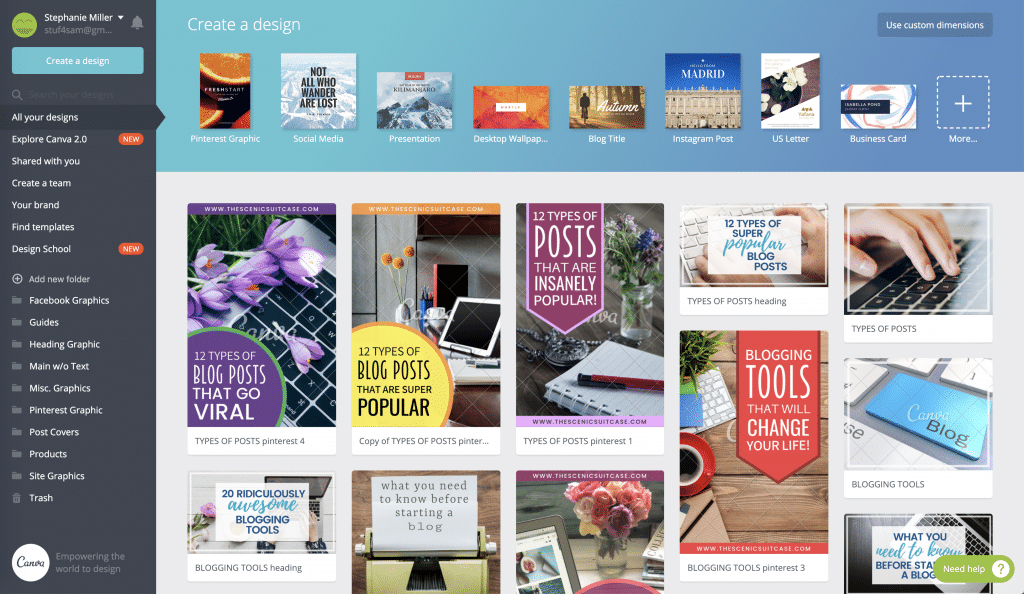
Canva is an app/website where you can create graphics for your site, as well as find some cheap/free stock photography. You can use the basic site for free, or you can pay a monthly membership fee for expanded capabilities. Those include: saving branding colors and fonts, saving branding images (such as your logo), organizing your graphics into folders, and the ability to resize an image with a simple click.
When it comes to your site’s graphics, Canva is the industry leader (and one of my very favorite blogging tools!)
It’s important to note when using Canva’s stock photography and graphics that you can use the general licensing if you’re not selling something. However, if you’re creating a graphic in Canva for something you’re selling (like an e-book, guide, online course, etc) you need to purchase the graphic’s extended licensing. Those are a bit pricey, so a good alternative is Creative Market.
Pixaby
For high-quality stock photography, Pixaby can’t be beaten. They offer stunning imagery for free (which can be quite pricey elsewhere).
Similar to the stock photography on Canva, if you wish to use a graphic or image in a product or course you’re selling I recommend paying for the license to do so. Otherwise, you could find yourself on the receiving side of a costly copyright infringement.
User Bob
Find out what people think about your website with User Bob. This is extremely helpful to identify problems with usability, navigation, readability, and general user experience. (I’m obsessed with this site and it’s helped me make my own website much more user-friendly!)
Tailwind
One of the best ways to drive traffic to your site is with Pinterest. This is because Pinterest is essentially a visual search engine and the fastest-growing social media platform.
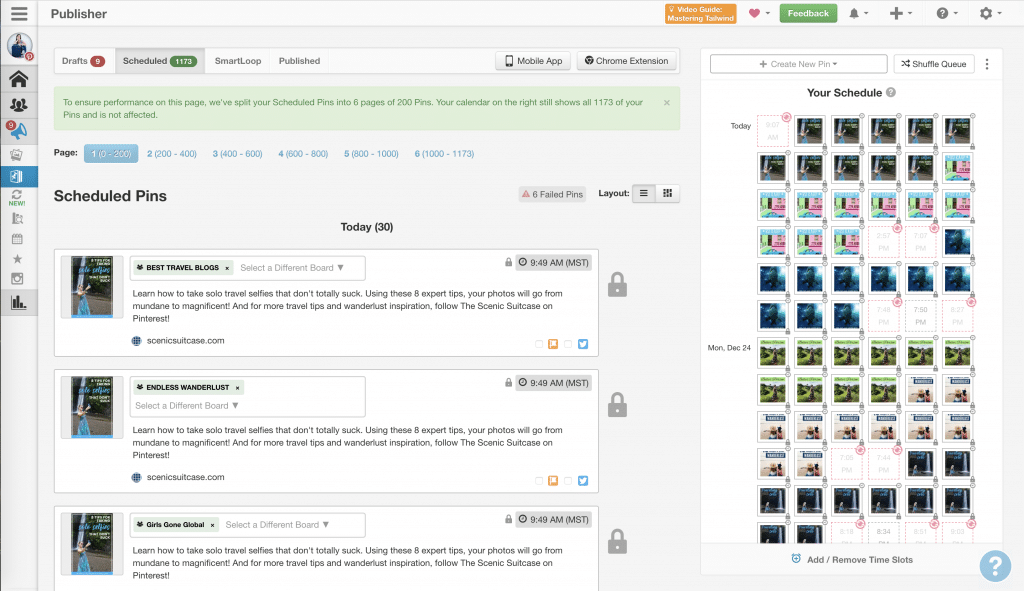
Tailwind is a paid service that allows you to schedule out your pins on Pinterest, as well as create pinning groups for faster pinning to multiple boards. This will cut your pin scheduling in half so you can spend time on more profitable endeavors.
HARO
Help A Reporter Out (HARO) is a site that connects you with journalists seeking experts to quote for stories. This is a wonderful way to be featured in various publications and a great blogging tool to establish authority as a trusted source.
Grammarly
Grammarly is actually a browser extension that checks your spelling and grammar automatically. I, personally, still hire an editor to read through all my posts so I don’t sound like a moron. But this tool helps ensure my rough drafts aren’t a total mess. Because, you know, high school grammar… oof.
Unum
Unum is a free app that allows you to curate your Instagram feed. This is helpful to keep your Instagram account from looking like a disorganized hodgepodge so you have a more cohesive brand.
Plugins
In an endless sea of plugins, it’s hard to know which to choose. And because plugins can create havoc with your website, you want to limit the ones you have. So which are necessary and which can you skip? Here are the ones you really can’t live without:
Yoast SEO by Team Yoast
Yoast is by far one of my favorite blogging tools. It’s hugely helpful when writing your posts to ensure they’re optimized for SEO and readability. It’s a must!
Updraft by UpdraftPlus.com
This is used to back up your site. You can set it to run automatically so it’s one less thing to think about. The plugin is free but I suggest you pay to have them store the backup on their secure server.
Sucuri Security – Auditing, Malware Scanner by Sucuri Inc.
Another one of my favorite blogging tools (and a must when it comes to your site’s security) is Sucuri. This plugin lets you know when there are logins or changes to your site (so you will know immediately if your site has been compromised). It’s free, but I suggest paying for their firewall to give your site added protection against hackers.
Broken Link Checker by Janis Elsts
This scans your entire site and notifies you if you have a broken link. Google penalizes you for broken links, and without the plugin it will take you forever to figure out which ones aren’t working.
Autoptimize by Frank Goossens (futtta)
This will compress your images (meaning the file sizes are smaller so they don’t slow down your site, which Google also penalizes you for).
WP Super Cache by Automattic
This plugin will help your site run faster.
Akismet Anti-Spam by Automattic
This will help keep spammy comments off your site.
Title and Nofollow For Links by Flector
This adds more modification options to your links. You can specify if you want links opened in another window (which you always want for non-internal links).
In addition, you can add “rel=”nofollow” to your coding on the link with a simple checkbox (which you should do for outside links, and which you have to do for any affiliate links).
My WordPress Health Check by Frank Corso
This runs health checks on your site to make sure you don’t have any issues that need to be addressed.
Side note – It will tell you when plugins need updating, which you’ll want to do because those updates fix bugs and security issues with the plugin. Before you update anything, always back up your site with Updraft to ensure you don’t lose anything if a plugin update isn’t compatible with your site.
So check out these websites, apps, and plugins! They’re guaranteed to streamline your blog so you can feel as easy-breezy as those Instagram photos too.
What blogging tools do you love? Comment below, I’d love to hear about them!

You May Also Like:
» What You Need To Know Before Starting A Blog
» 10 Unexpected Life Lessons I Learned From Blogging
» The Blonde Abroad Blogging Retreat In Bali


Leave a Reply