

I’ll be the first to tell you how much I love my full-size camera. The aperture, the wide angles, and the crisp images… it can’t be beat. But is it always convenient to lug around something that weighs as much as a small child when you’re out and about on your latest adventure? Not usually.
With the advances in the iPhone’s camera, you can take stunning images that rival those shot on professional equipment with the convenience of something you can slip into your back pocket.
However, as great as the built-in camera is, you can vastly improve your image quality by using a few super awesome (almost too good to be true) iPhone photo apps. So hold on to your hats, because you’re about to be blown away…
SNAPSEED

My absolute favorite camera app is Snapseed for its breadth of available edits and shooting capabilities. With 26 tools and filters, it’s easy to make your photos really stand out. Always seem to end up with a wonky horizon? Try the horizon level! Want to create a welcoming glow ala “Golden Hour” (my favorite time of day!) Then adjust the warmth! Want to adjust only a certain area? Use the selective brush tool! From modern to vintage, or dramatic to grungey, this app has you covered! There’s virtually no limit to what you can accomplish, it’s simply incredible!
Available for $1.99 from the App Store
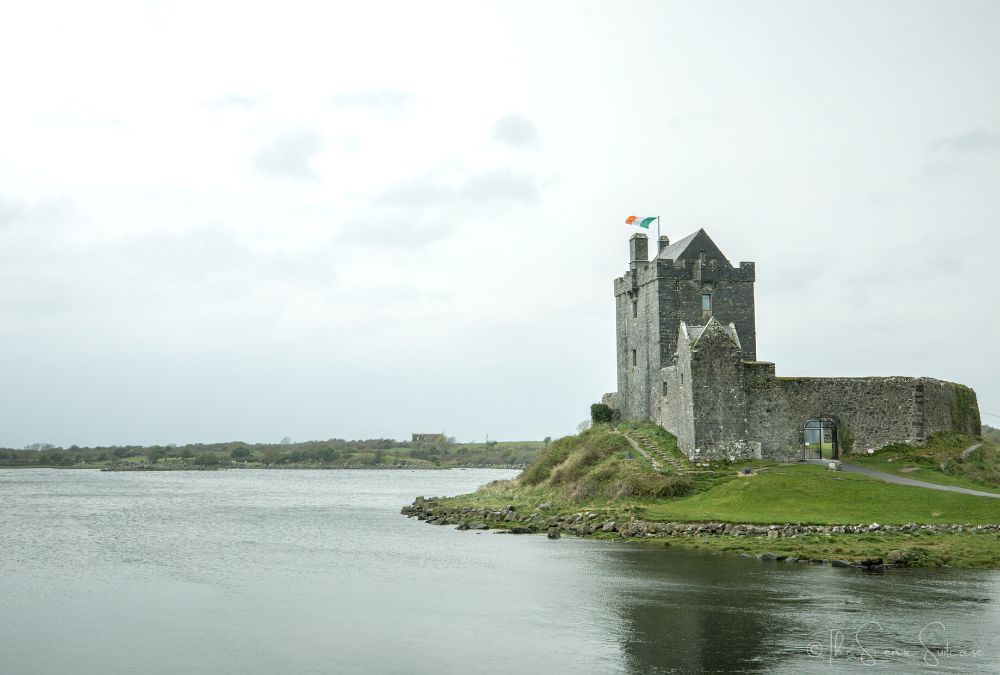
A before photo of a castle in Ireland.
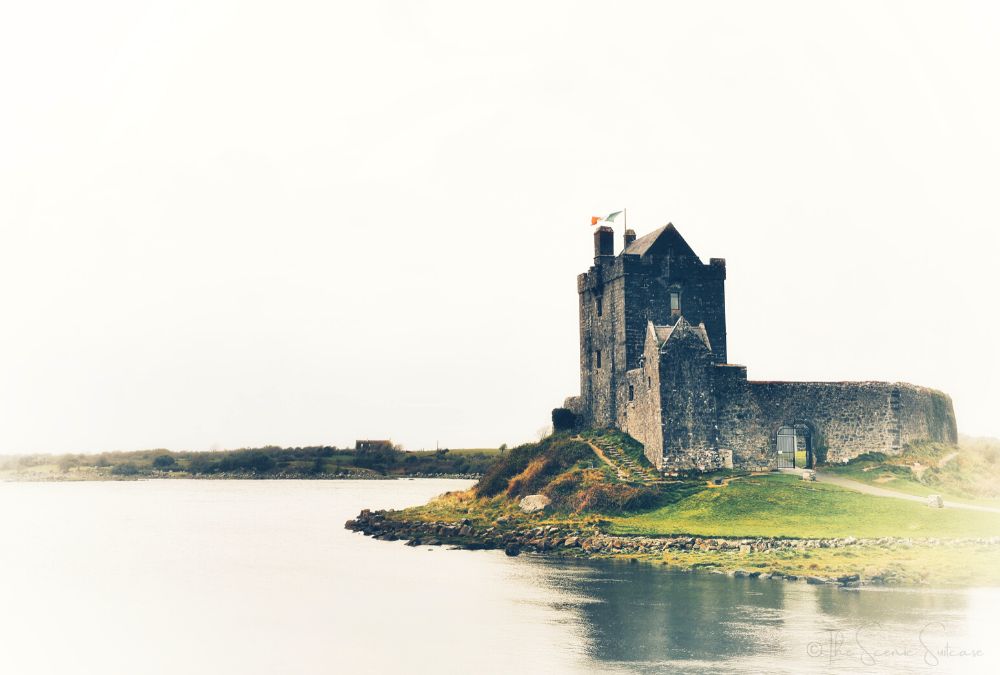
An after photo of a castle in Ireland showing artistic edits that can be made using Snapseed.
TOUCH RETOUCH

This app is fantastic for removing unwanted objects, lines, and blemishes from your images. I can’t tell you how many times it’s saved me when an otherwise beautiful shot is ruined by a construction sign, electrical wires, or someone photobombing my pristine landscape. TouchRetouch offers simple options like an object eraser, quick repair, line removal, and clone stamp (which can remove duplicate objects.) It’s one of my absolute favorite photo apps and a must in your photo editing arsenal. Nuff said.
Available for $1.99 from the App Store
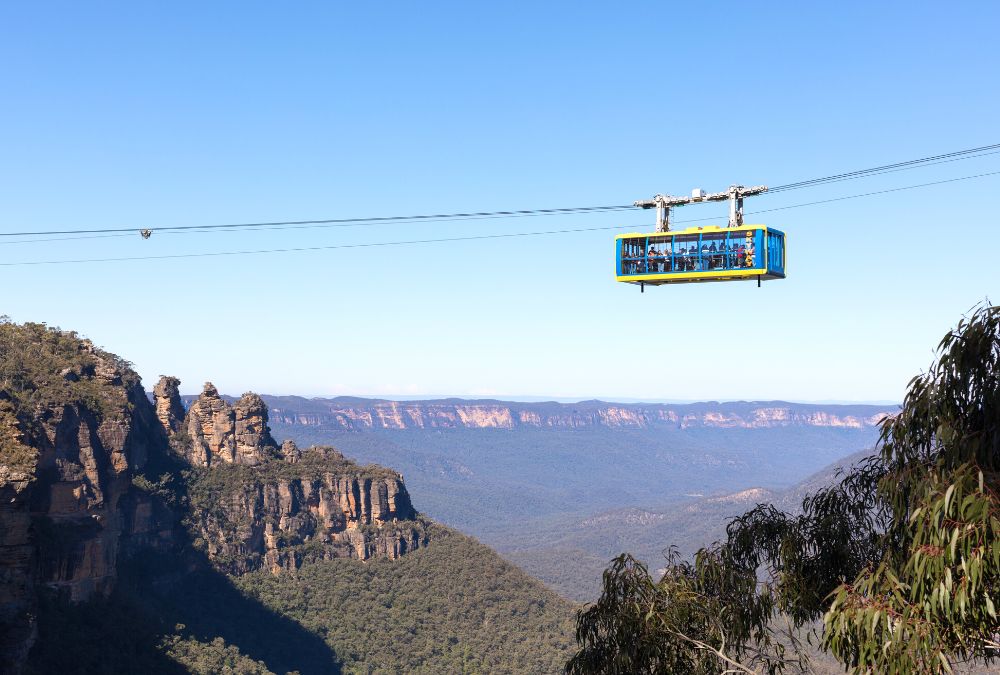
Before photo of an aerial tram over a gorge in Australia’s Blue Mountains.
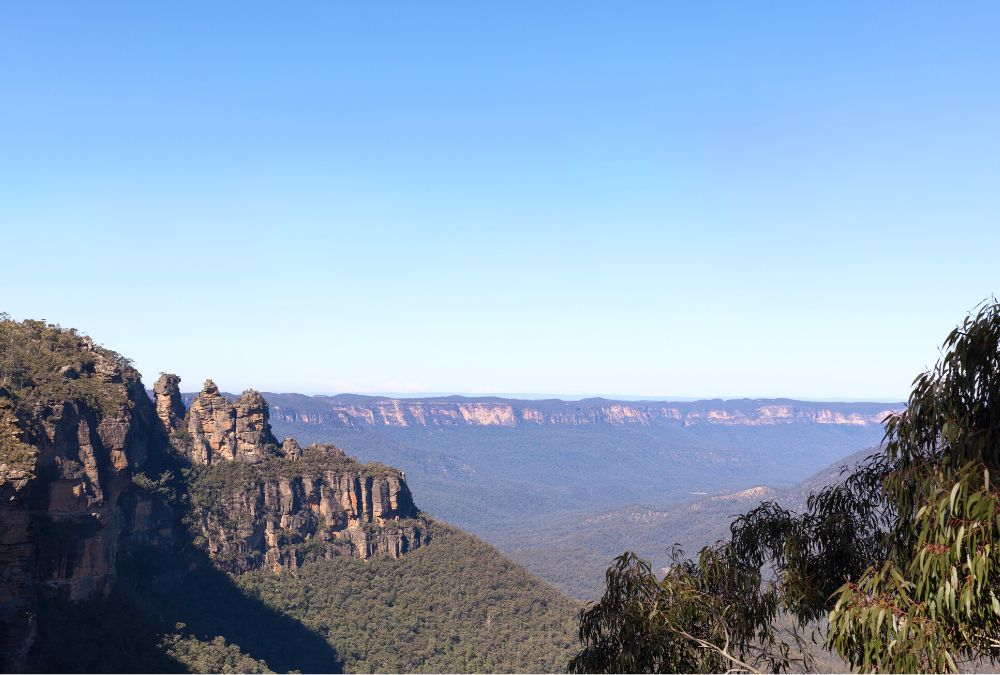
An after photo of the aerial tram removed from the frame using Touch Retouch.
TEETH WHITE

Confession – I tend to go a little overboard with… well, just about everything in life. Teeth whitening is no exception. I use a whitening toothpaste, whitening mouthwash, and had them professionally whitened (and, truth be told, use the professional gel WAY more often than necessary.) All this has led to me resembling Ross from that one Friends episode where his teeth glow in the dark. You know the one I’m talking about and yes, they do look just as obnoxious.
However, if you’re not like me and want to brighten up those pearly whites in your photos, I’d recommend getting the Teeth White app. It allows you to easily highlight the teeth you want to be brightened and then uses arrows to gradually whiten them so you can choose the exact shade you want. It’s that easy!
Available for $0.99 from the App Store
LENS DISTORTIONS

The Lens Distortions app allows you to add filters and natural elements to your photos with ease. These include light hits, fog, rain, snow, shimmer, eclipses, and even particulates that will give your images an artistic touch. You can then layer elements, add typography, and include photo effects as well as make localized adjustments so you have complete control over your final photo. Personally, I love all the app’s different options!
Available from the App Store

A before photo of the Cloud Forest in Singapore.

An after photo of the Cloud Forest in Singapore using Lens Distortions to add a light hit in the upper right.
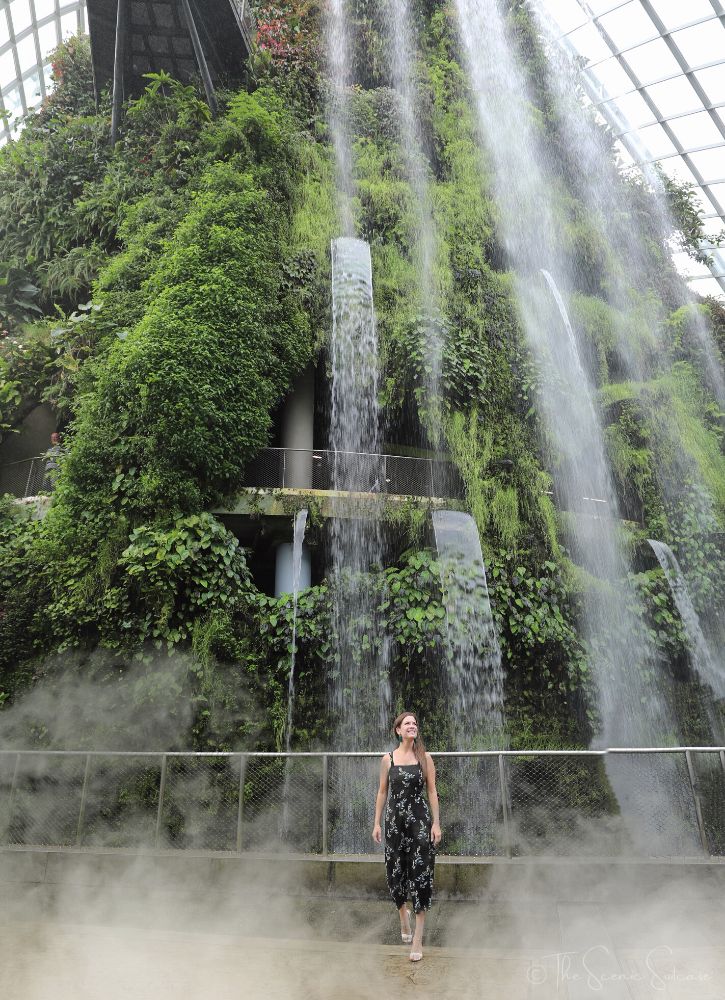
An after photo of the Cloud Forest in Singapore using Lens Distortions to add fog at the bottom of the frame.
PS EXPRESS

Any professional photographer will tell you how much they love Photoshop. Now, all that awesome is available on your phone with Adobe Photoshop Express! In the mood for a montage? This app has you covered with its customizable collage creator. Feeling those creative juices flowing? Throw in one of its many filters or edit enhancements (or even create your own!) Do your subjects look possessed? Easily take the evil glare out of their eyes with a single tap using the red-eye remover. Bonus- this app not only supports JPG and PNG files but raw files as well!
Another complementary app for this is Adobe Express, which has additional options for shooting such as HDR, pro-level modes in DNG format, and even AI image generation. I’d highly recommend it too!
Available for FREE from the App Store
PRISMA

I love this app for its ability to transform any photo into a work of art. Stained glass, a painting from various artistic movements, a comic book drawing, a sketch… if you can dream it, this app has a filter for it. Still on the fence? Well, you should know there’s even a Heisenberg filter. That’s right, a filter for Mr. Breaking Bad himself! So…….. there’s that.
Available for FREE from the App Store
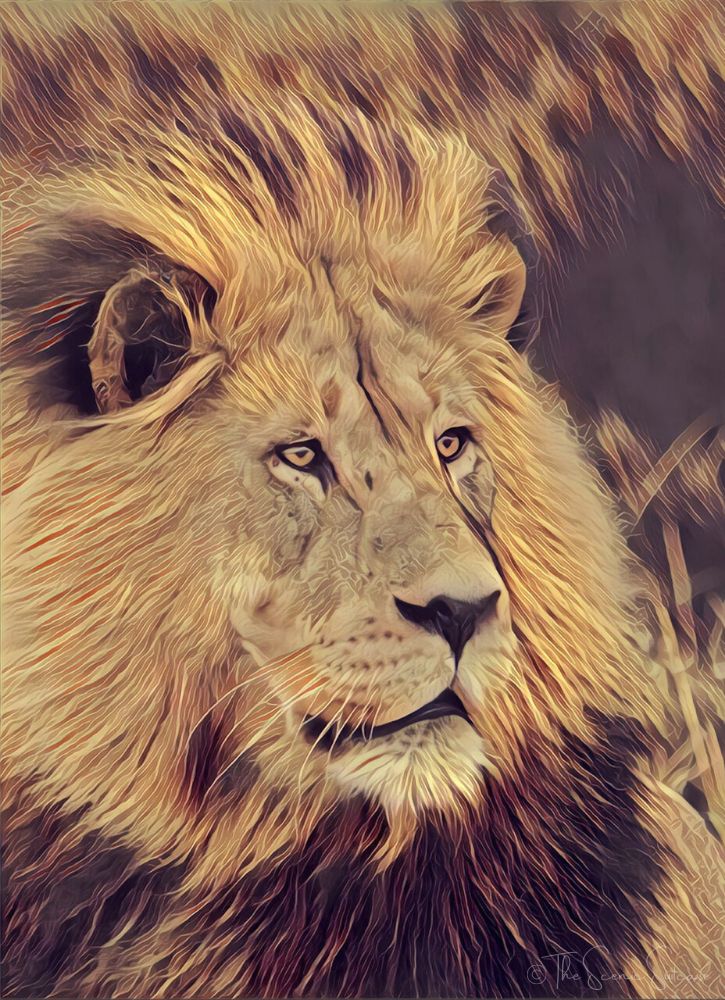
A lion using Prisma to make the photo look like a watercolor painting.
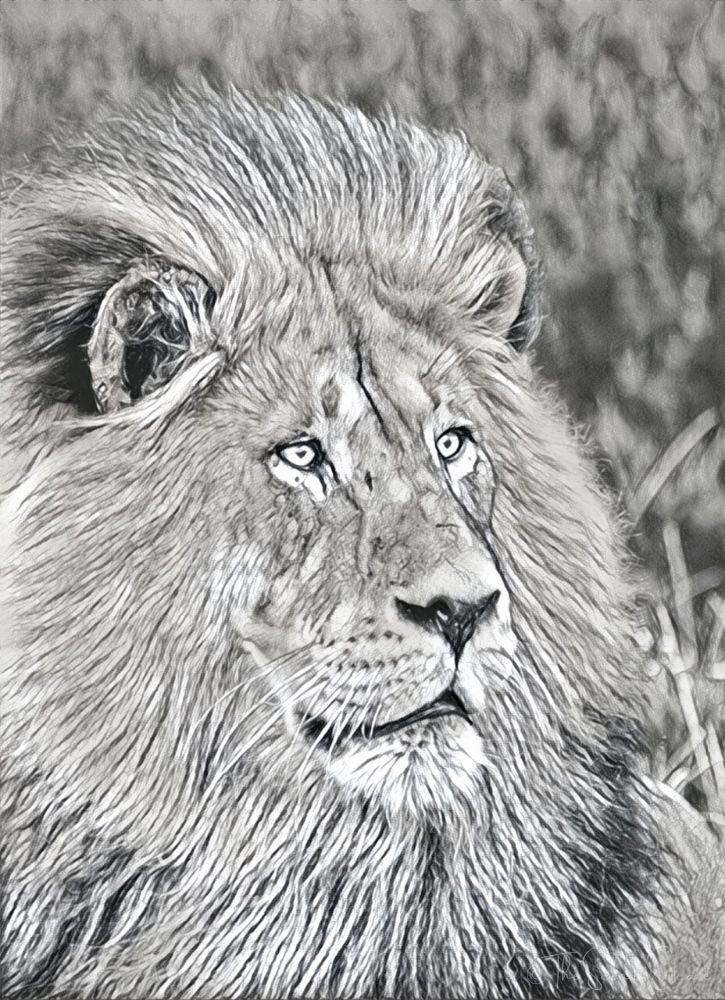
A lion using Prisma to make the photo appear like a pencil sketch.
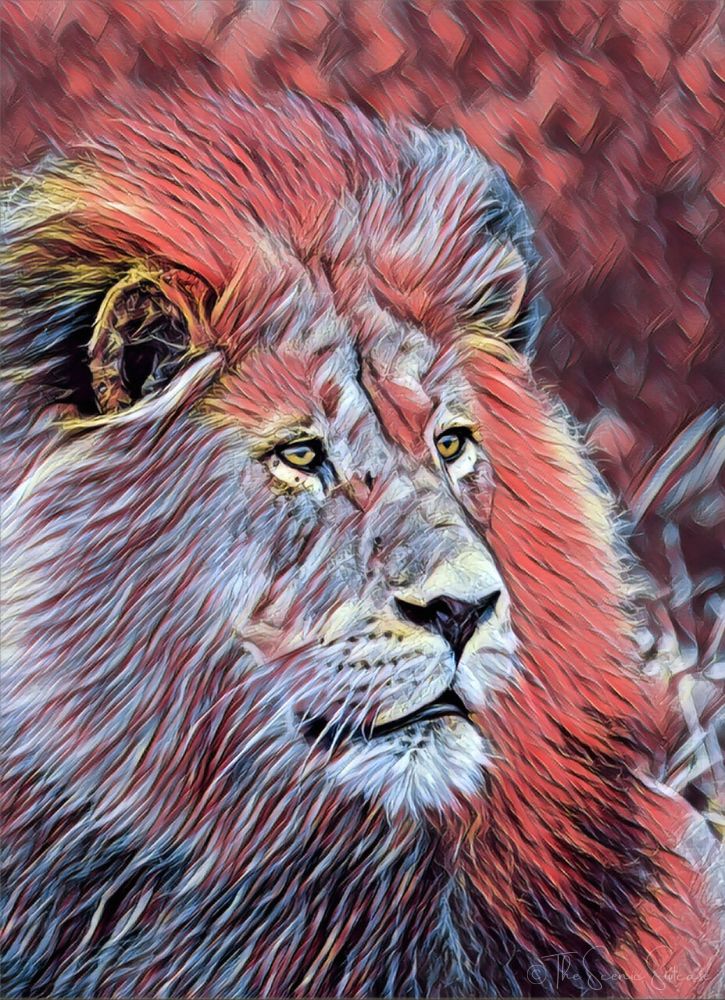
A lion using Prisma to make it appear as if the photo is a colorful drawing.
There are a lot of photo apps available out there, but I think these iPhone photo apps are by far the best. With a few simple edits, I have no doubt you’ll transform your already incredible photos into true works of art.
Have a photo app you can’t get enough of that I haven’t mentioned? Comment below and let me know about it! And if you want to learn about some awesome travel-related apps, click here.
You May Also Like:
» The Ultimate Must-Have Travel Apps
» 5 Expert Mobile Photography Tips
» Top 10 Essential Sites for Travel Deals

Leave a Reply